V1.1 - Jul 12, 2025
Presented to

1. Executive Summary
This document details the requirements for automating customs clearance document extraction of cargo manifest and items declaration from unstructured shipment documents.
Unlike the other three Qatar Post solutions, Customs Clearance is a workflow, not a chat. It is built on the Eloquent workflow engine + document ingestion (Azure Form Recognizer) + entities (the job, cargo manifest, and item-declaration records) + knowledge graph (HS-code lookup) — triggered by inbound email and gated by a human review step, with no conversational agent involved. See the Solution Architecture for how this fits the wider platform.
2. Scope of Work
2.1 Process flow
At a glance, the pipeline runs from an inbound email to a submitted customs declaration, with a human-review gate before anything is sent:
The original detailed process diagram:
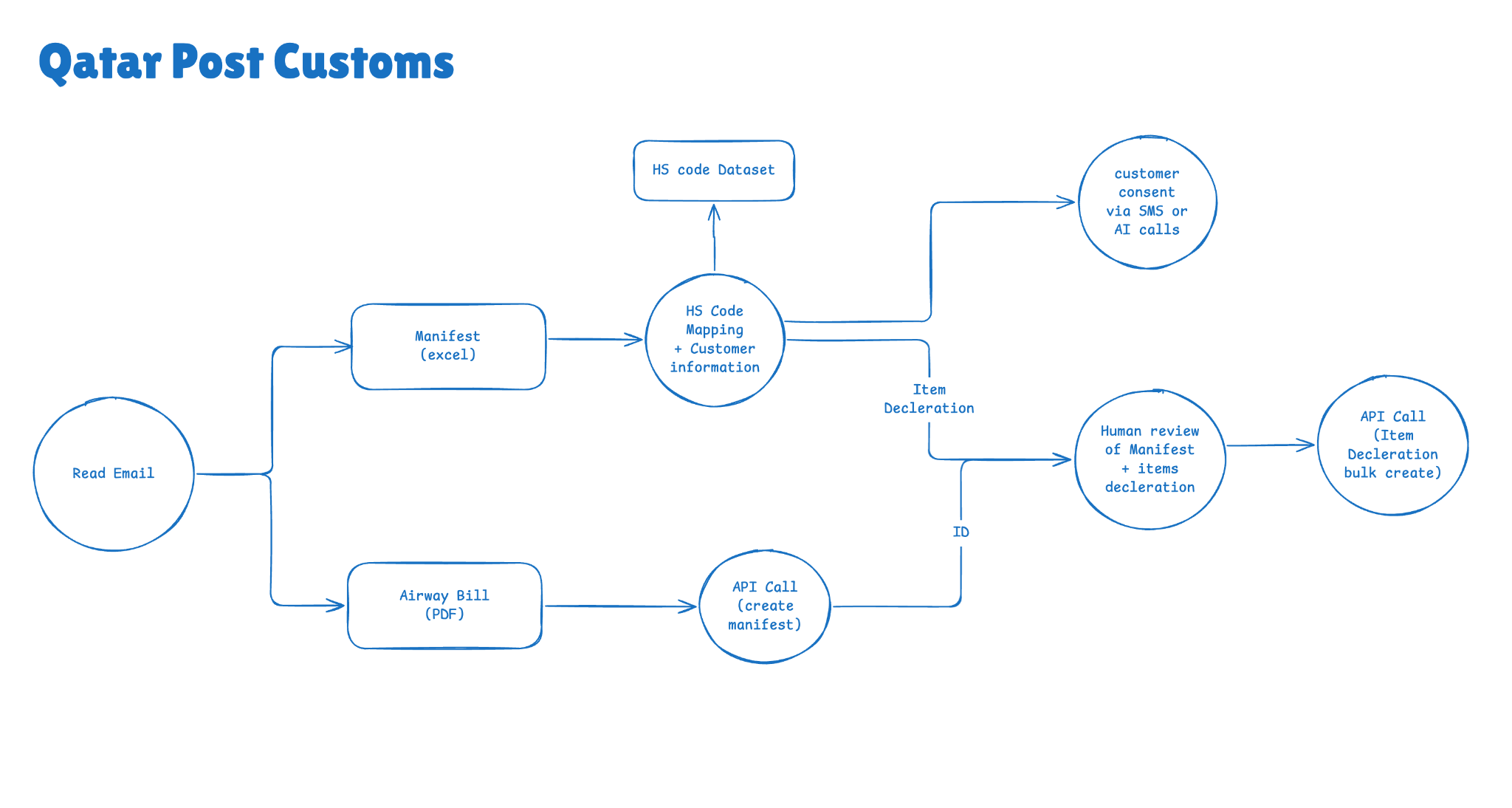
The following steps covers the customs clearance AI data extraction flow:
-
Automatically reading attachments and validating email content from customsai@qatarposts.com and validating the email content to make sure it’s a valid shipment information. Optionally restrict processing to a specific sender list.
-
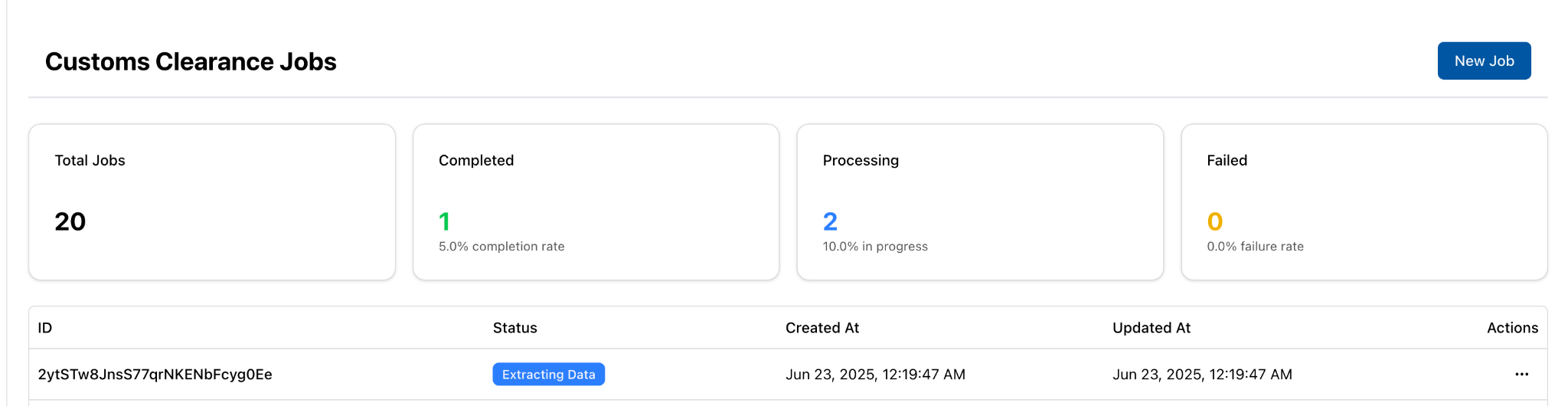
System will create a job (workflow instance) to process the shipment details with the initial state as “Extracting Data”.
-
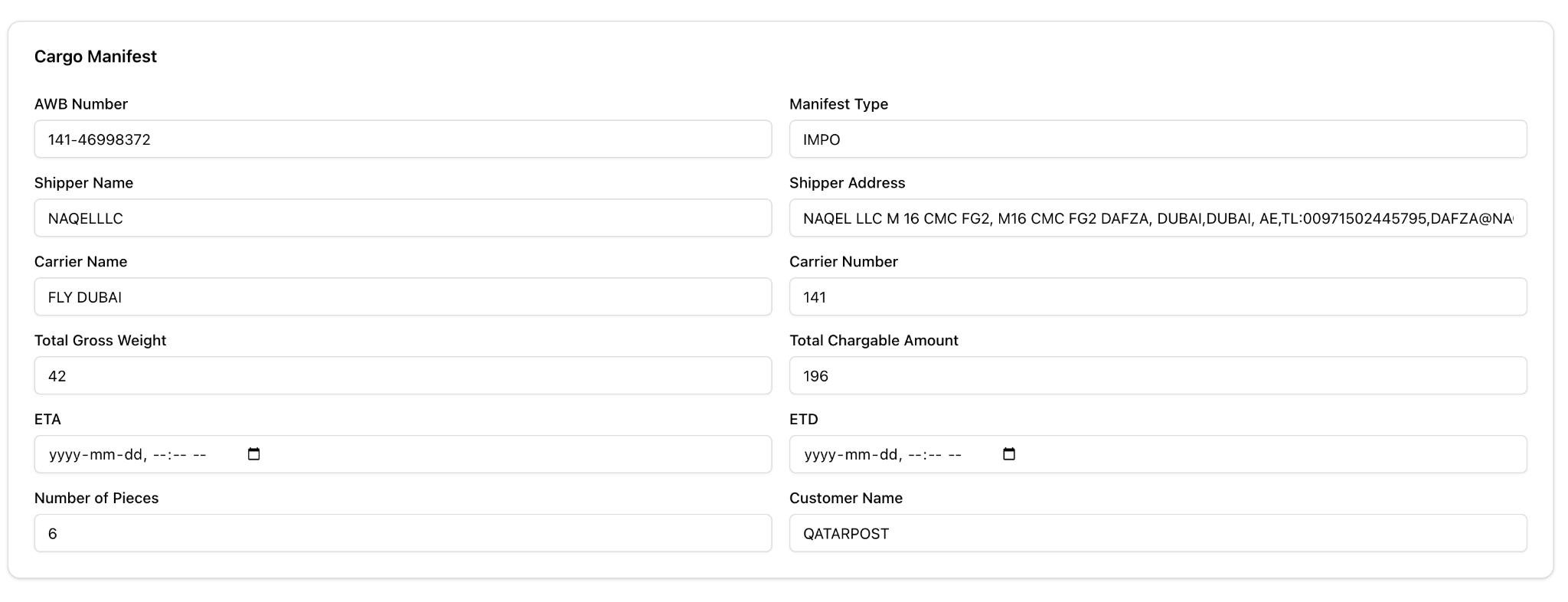
System will read the airway bill (PDF) and extract the following information:
-
Cargo Mainfest
-
airway_bill_number
-
shipper_name
-
shipper_address
-
issuing_carrier_agent_name
-
issuing_carrier_agent_iata_code
-
port_of_loading
-
carrier_number
-
carrier_name
-
total_gross_weight: number;
-
total_chargable_amount: number;
-
item_description
-
estimated_arrival_date
-
estimated_departure_date
-
customer_name
-
Number_of_pieces
-
-
-
System will find and map the correct columns from the attached excel sheet and extract the following information for each record:
-
Items declaration list, for each item in the excel:
-
tracking_number
-
shelf_no
-
box_no
-
address
-
qid
-
customerName
-
merchant
-
item_hs_code
-
item_description
-
item_qty
-
item_qty_unit
-
item_weight
-
item_weight_unit
-
item_dimension
-
item_purchase_value
-
currency
-
local_shipping
-
insurance
-
shipping_charge
-
customs_processing
-
total_cif
-
is_battery
-
invoice_number
-
country_of_origin
-
inco_term
-
-
-
System will perform the following mapping and validation:
-
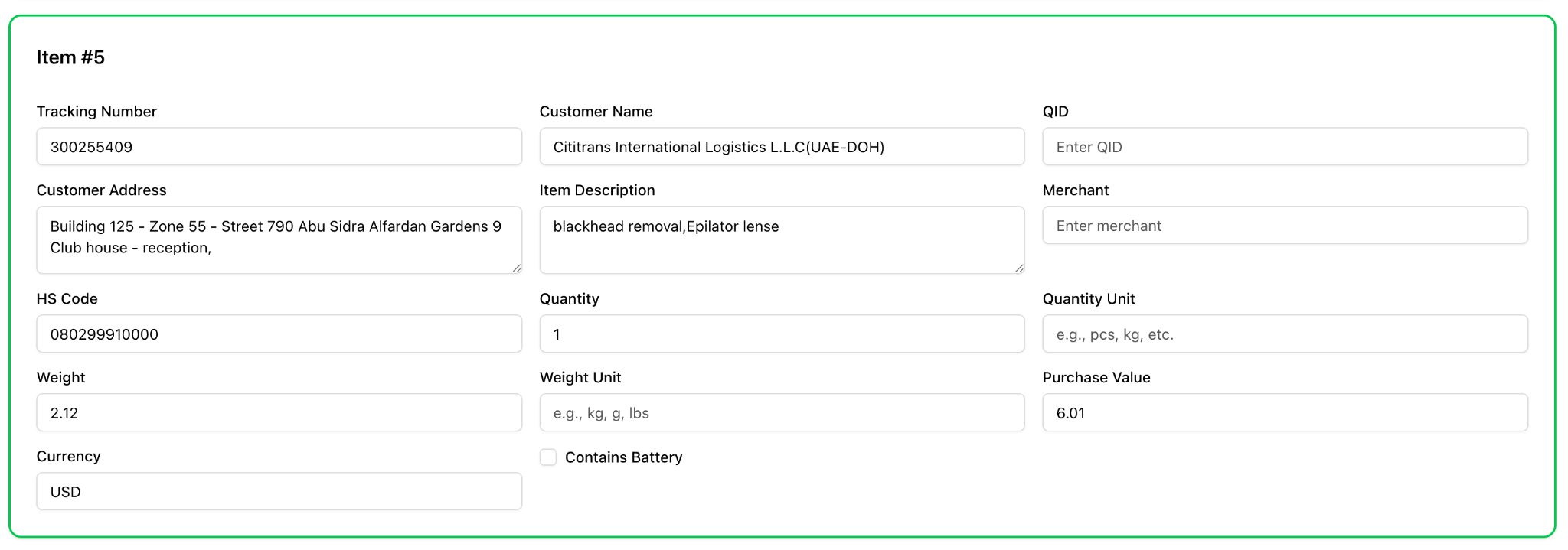
Find the correct HS Code from Qatar 12 digit code list based on the item description.
-
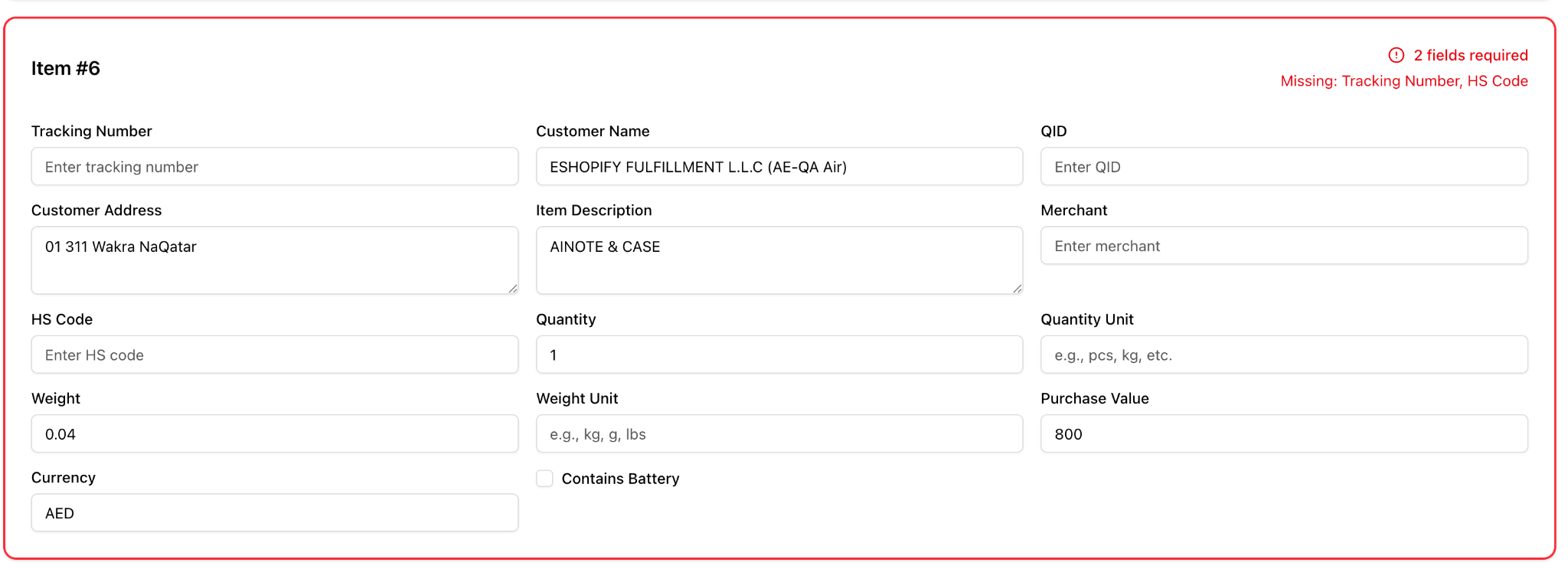
Validate missing fields and show error list with missing fields.
-
-
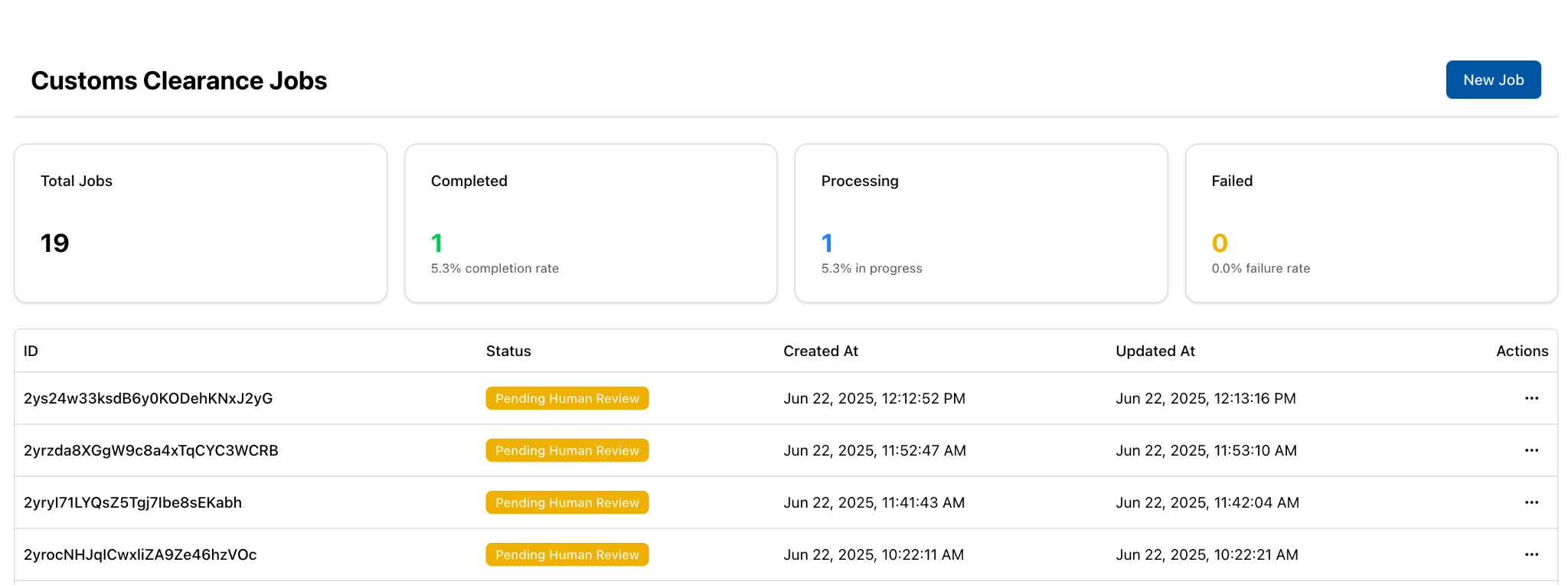
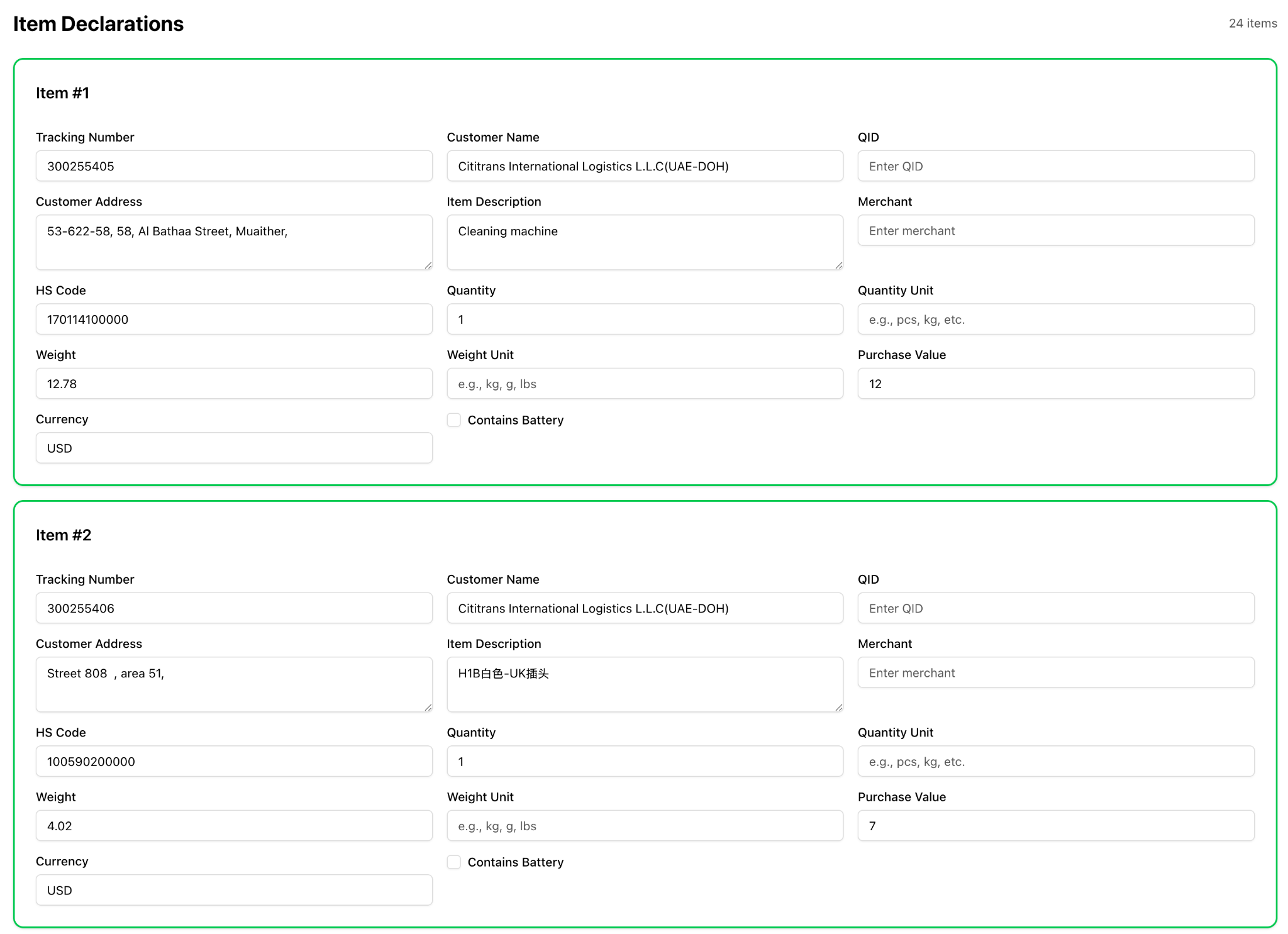
Once the above steps are completed, system will update the job status to “pending human review” and the following UI will be available for customs clearance team to review and approve.
-
Parallel with the customs declaration team review for the job details, system will automatically trigger a consent process to use customers PII data using one of the following methods:
-
Automated SMS
-
Automated email
-
Other options if needed.
-
-
Once the customs clearance team has approved the job, System will make and api call to the customs declaration api with the generated structured data to create the cargo manifest and customs declarations.

2.2 Integration points
The following are the system integration points:
-
Qpost office 365 email server
will be used to listen to new emails coming to customsai@qatarposts.com and automatically start a workflow instance. -
Qpost customs declaration API endpoints
-
https://10.202.6.207/api/CargoManifest/SaveOrUpdate: will be used to create or update a cargo manifest.
-
https://10.202.6.207/api/ItemDeclaration/BulkSave: will be used to to bulk create items declaration.
-
2.3 Job management and audit trail
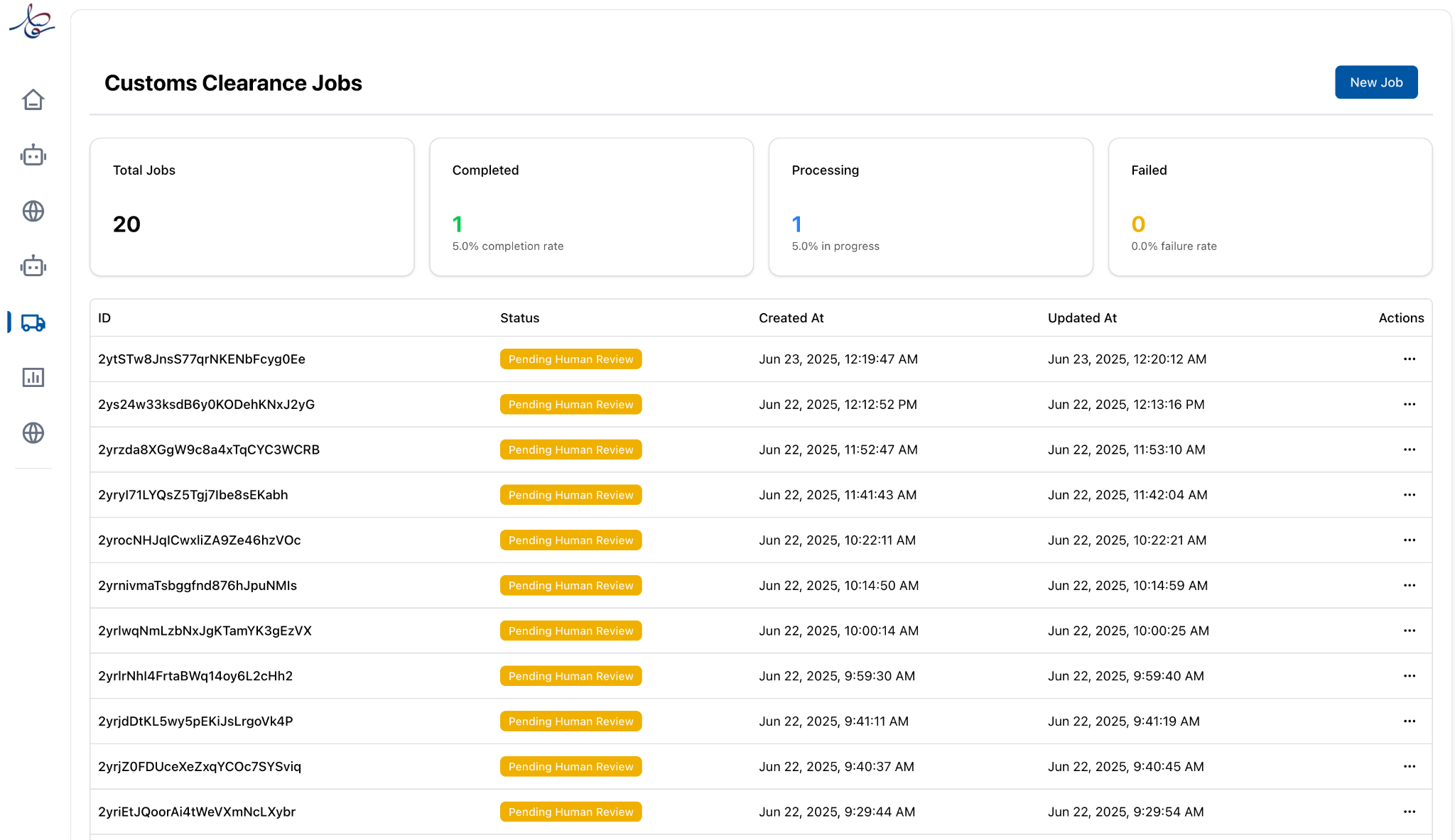
The system provides the following screens to manage jobs and view audit trail with follow details of extracted and processed data:
-
Job list ** A dashboard with existing job list classified by status. **
-
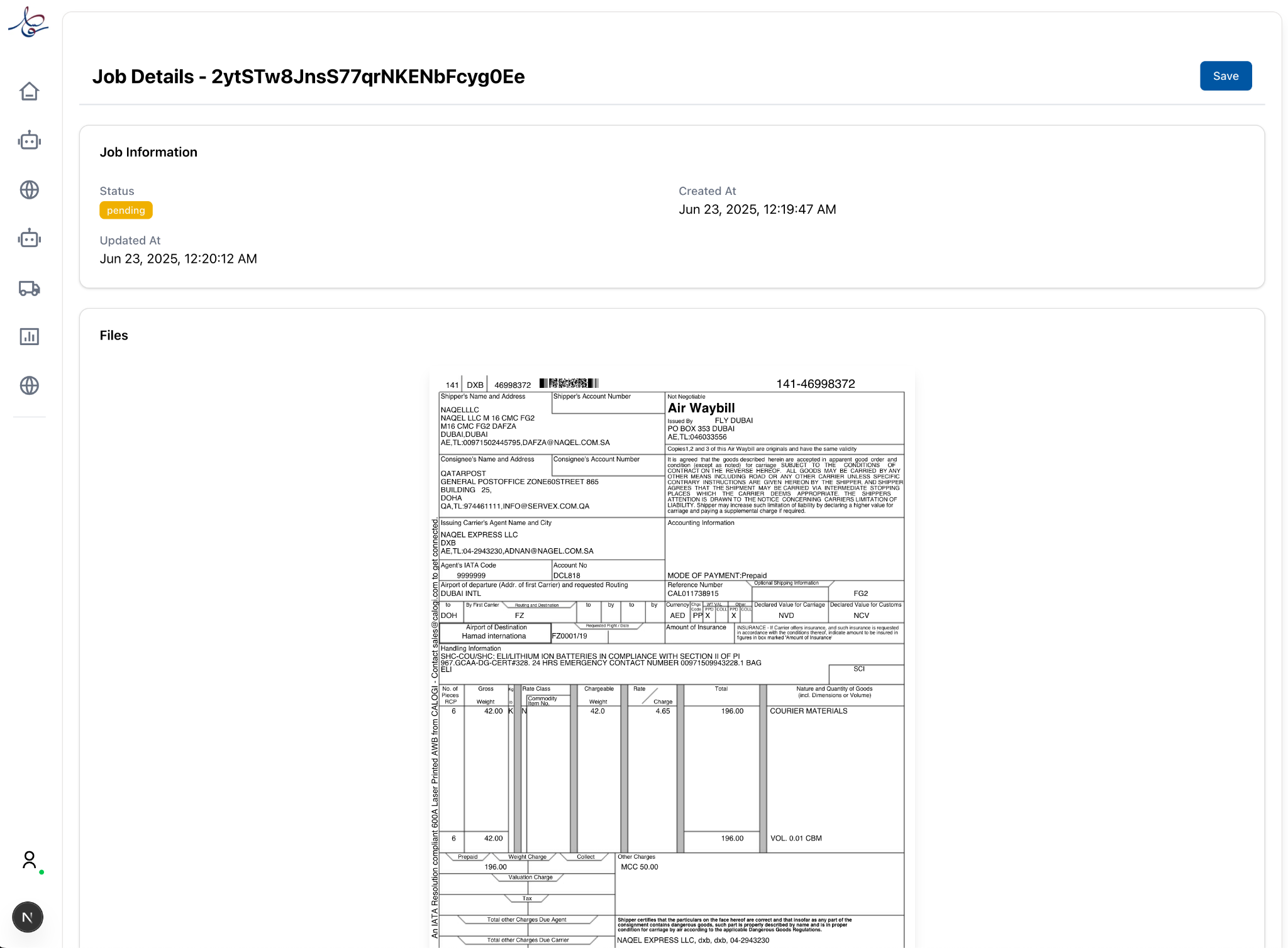
Job Details:
-
Original airway bill PDF file
-
Original items excel sheet
-
Editable extracted cargo manifest sheet
-
Editable list of items declaration data with automatic validation for required fields
-
3. Non-Functional Requirements
- Human-in-the-loop control — no customs declaration is submitted until the clearance team approves the extracted manifest and item declarations in the review UI.
- PII consent — before submission, a consent process (automated SMS / email) is triggered to authorise use of customer PII, run in parallel with the team review.
- Audit trail — every job retains the original airway-bill PDF and items Excel alongside the extracted, edited, and submitted data, giving a complete record of what was sent and by whom.
- Validation — required-field validation runs automatically on the extracted records; missing fields are surfaced as an error list before the job can be approved.
- Multi-tenant isolation — the workflow, entities, and documents run in the Qatar Post Eloquent tenant (isolated PostgreSQL schema, ClickHouse database, and storage), reachable only through the API Gateway.
- Extensibility — extraction fields, validation rules, and the approval steps are defined in the workflow definition and entity schemas, so changes are configuration, not code.